Gemini 4 Argon: Access, Agent Controls, and Personal Apps on Google Play
Issue date:
This issue covers the Gemini 4 Argon launch across Google’s API and products, the company’s account of its agent controls, and a way to install personal Android apps made in AI Studio through Google Play. These are three distinct changes: access to a model, claimed safeguards for using it, and a shorter route from an app prototype to a test on its creator’s device.
This issue may include important events published earlier.
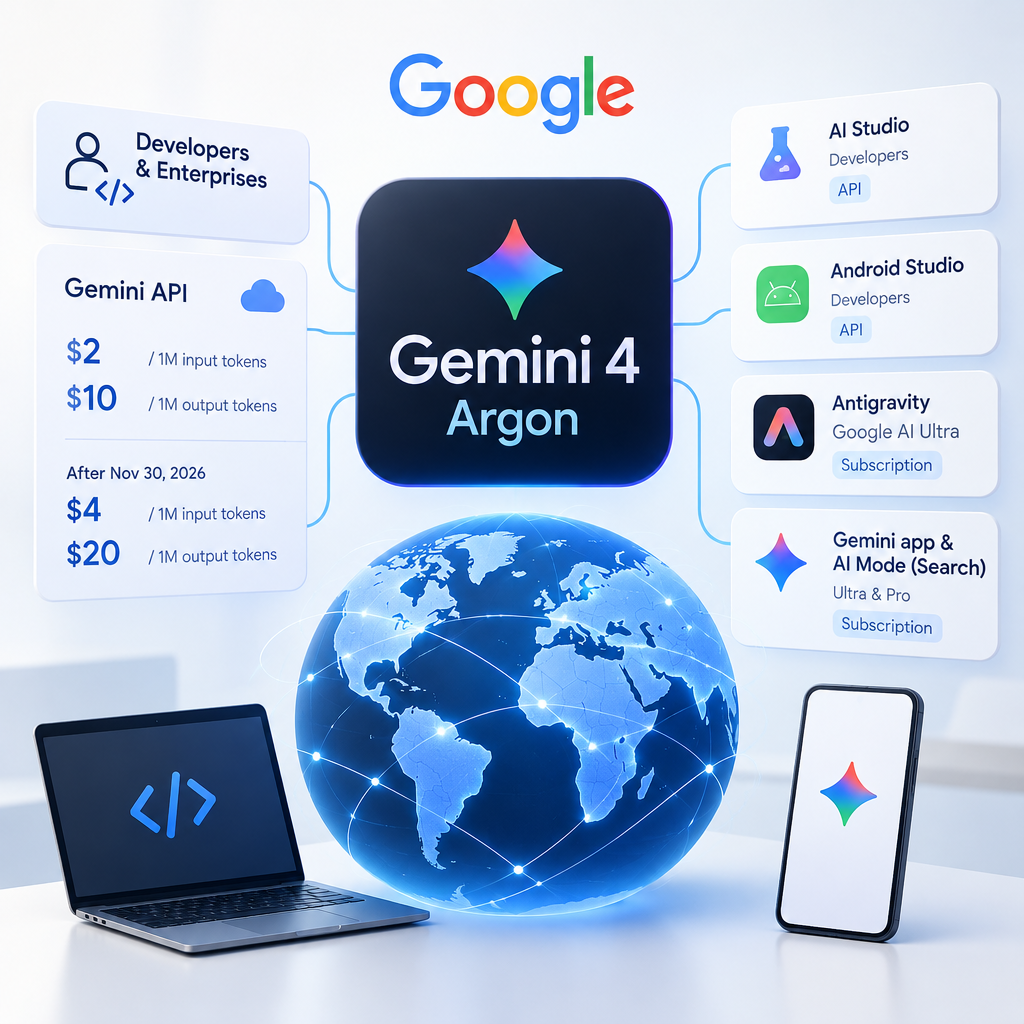
Google announced a global rollout of Gemini 4 Argon for developers and enterprises through the Gemini API. Developers can use the API’s paid tier in AI Studio and Android Studio. Google AI Ultra subscribers can access the model in Antigravity; Ultra and Pro subscribers can use it in the Gemini app and AI Mode in Search. Access depends on the product and subscription: a global rollout does not mean identical terms for every user.
Key facts
Google says Argon is rolling out globally for developers and enterprises through the API; Antigravity and consumer-product access depend on the relevant subscriptions.
Google lists introductory API prices of $2 per million input tokens and $10 per million output tokens. It specifies $4 and $20 respectively after November 30, 2026, for the model intended for public access.
Google says Argon ranked first on the Vals Index, which tests work in several professional fields, and gives examples involving multi-step software development and document analysis.
An objective look at what matters
API access allows teams to test the model on work that gathers information from multiple materials before passing a result to a specialist. In software development, that might mean repository analysis and change preparation; in document work, finding relevant passages and drafting a response. Google describes its own examples of faster work, but those do not establish what another company will achieve. A useful pilot should measure how often outputs are usable, review time, latency, and total cost.
Business processes
Software development and maintenance — A team could test an assistant on a large repository, migration planning, and change preparation. An engineer would still review the code and decide whether to accept it.
Corporate document work — Teams could evaluate extraction and drafting for finance, legal, or research tasks. Decisions on consequential matters remain with the relevant specialists.
Automation opportunities
Multi-step document review and response drafting: Send permitted materials to the model through the API, produce a draft linked to source passages, and pass it to an employee for review. This is a possible pilot design, not a demonstrated deployment outcome. Conditions: The Gemini API workflow requires appropriate access, including the paid tier for developers.; Data access should be restricted, and findings checked before use.; Quality, latency, and cost need measurement on the organization’s own tasks.
Agent assistance with code changes: Delegate context gathering and change proposals while leaving risky actions and code acceptance under team control. Conditions: Antigravity access depends on the product’s terms, including a Google AI Ultra subscription for the access described here.; Limited permissions, tests, and engineer review are needed.
Impact on manual work
Context gathering and drafting might involve fewer manual steps. Google’s examples do not establish such savings for a typical organization, and consequential outputs still require human review.
Limitations and risks
Access terms differ across the API, Antigravity, and consumer products; introductory API prices are time-limited.
The ranking and performance examples are Google’s claims, not independent evidence of impact in workplace processes.
Errors in documents or code, the cost of long tasks, and agent actions need evaluation before deployment.
Google details Gemini 4 Argon safeguards and agent monitoring
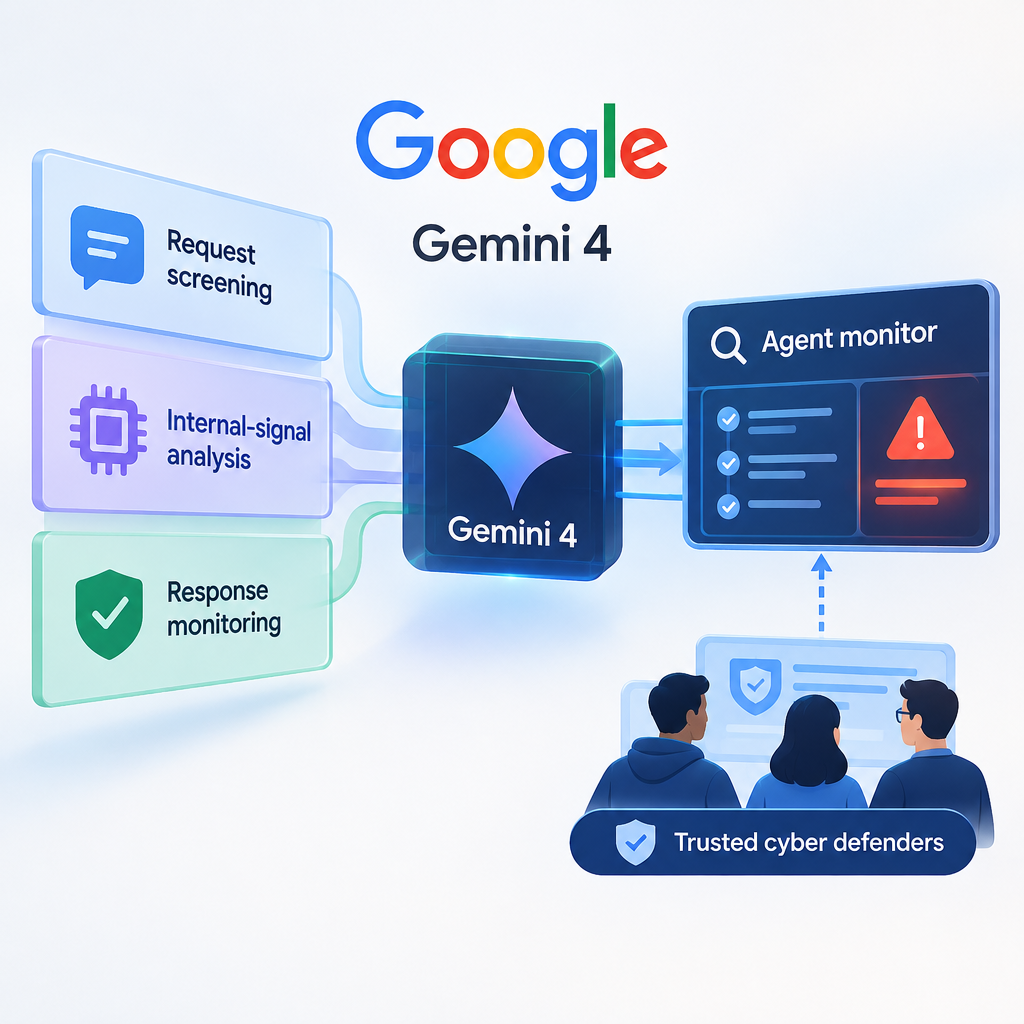
Google described several layers of protection against dangerous uses of Argon: checks on requests and conversation context, analysis of the model’s internal signals, and monitoring while it produces a response. A separate monitor, the company says, examines an agent’s actions and step-by-step reasoning in real time to identify severe boundary violations. Google also began expanding its Fairwind Program to additional trusted cyber defenders; the program is not open to everyone.
Key facts
Google describes request screening, internal-signal analysis, and continuous monitoring of response generation as three layers of protection against misuse.
The company says its agent monitor reads actions and step-by-step reasoning in real time, can block severe boundary violations, and flags serious cases for staff.
Google reports that attempts to take an improper shortcut fell to 2% in its coding evaluations. On Gray Swan’s IPI test, attack success was 0.7% across 15 adaptive attempts to insert instructions through external content.
An objective look at what matters
A workplace agent may encounter malicious instructions in an email, webpage, or code, or try to bypass a restriction to finish its task. Evaluation therefore has to consider more than the quality of its answer: it must include what data and actions the agent can access and when it stops. Google’s described mechanisms illustrate layered control, not a safety guarantee. Even rare mistakes matter if an agent runs many tasks or can act in important systems.
Business processes
Automation with access to corporate systems — Teams could design request checks and action monitoring into an agent workflow, sending risky steps to a person. Google’s description alone does not establish the safety of another configuration.
Software development and cybersecurity — Teams could test how an agent handles code and external content in an isolated environment with limited permissions and a process for investigating alerts.
Automation opportunities
Agent working with code, email, or web data: Combine access limits, action monitoring, and human review of suspicious cases. Google’s controls would still need checking in the specific product and workflow where the agent operates. Conditions: Google says it uses its monitor in products and internal workflows; the available controls must be established for the particular product.; Least-privilege permissions, logging, action limits, and an incident process are needed.; Protection against instructions planted in external content cannot guarantee that every attack fails.
Impact on manual work
An automated monitor might help select suspicious actions for investigation, but reduced manual review in an organization has not been measured. People still need to configure permissions, investigate incidents, and oversee high-risk operations.
Limitations and risks
The test numbers and accounts of the safeguards come from Google; the two cited publications are not independent evaluations.
Monitoring may miss errors, boundary workarounds, or malicious instructions in external data.
Processing agent actions and step-by-step reasoning requires care with sensitive information; Fairwind expansion is limited to trusted defenders.
Google Play starts enabling personal AI Studio app installation
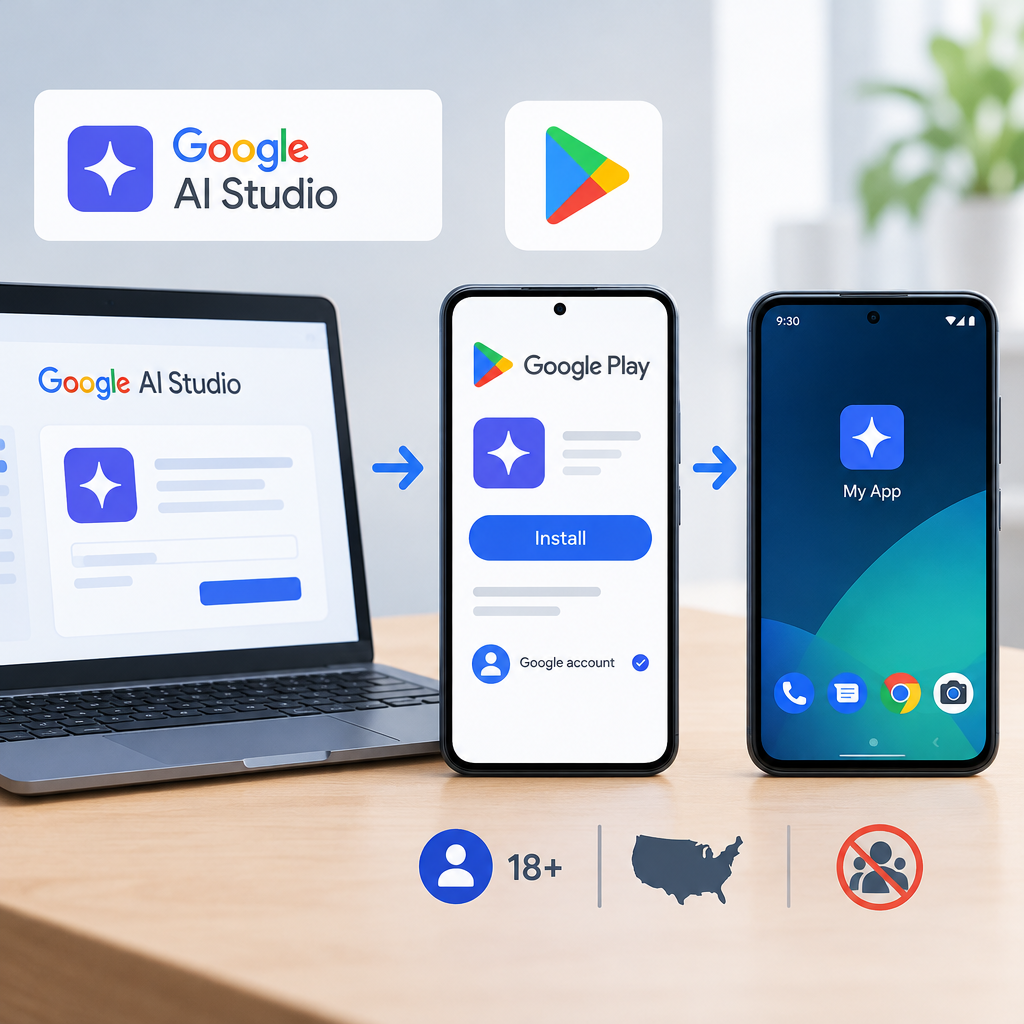
Google began a phased rollout allowing people to install Android apps they created in Google AI Studio on their own devices. Installation goes through Google Play with a standard Google account; no developer account is needed. For now, the feature is for users aged 18 or over in selected markets, including the U.S. These apps remain personal and do not appear in Play’s public catalog.
Key facts
Google says an app made in AI Studio can be installed on its creator’s device through Play without a developer account.
The phased rollout began in selected markets, including the U.S., for users aged 18 and over; personal apps are kept separate from the public catalog.
Google plans to allow sharing with a close circle of friends and family in the coming months. Public distribution will require a professional account, and the app will undergo Play’s usual safety and quality reviews.
An objective look at what matters
For a personal tool or early prototype, this shortens the path from an idea to trying an app on a phone. A creator can check whether a screen or sequence of steps is useful before deciding whether to pursue a public release. But installation on one’s own device is not distribution to employees, customers, or all Play users. The planned option to share with a close circle should not be treated as available yet.
Business processes
Testing personal mobile prototypes — Where the feature is available, a creator could test an AI Studio app on their own device without registering a developer account.
Preparing an app for distribution — A team could separately decide whether to develop a personal prototype for public release. That route still requires a professional account and Play’s standard reviews.
Automation opportunities
Prototype a personal Android tool for a recurring task: Create an app in AI Studio and test it on the creator’s device through Play. This eases an initial test but does not itself prove that the task will be automated or that the app is ready for organizational use. Conditions: The feature is rolling out only in selected markets, including the U.S., and for users aged 18 or over.; The current route is installation on one’s own device, not a public listing or sharing with a close circle.; Public release will require a professional account and Google Play reviews.
Impact on manual work
Removing the need to register a developer account may eliminate a step before the first personal test. The source does not show whether apps created this way reduce ongoing manual work.
Limitations and risks
Availability depends on market and age; the start of a rollout does not mean every eligible user already has access.
A personal app is not a public listing, and sharing with friends and family is still planned rather than available.
Broad distribution still carries professional-account, app-safety, and quality requirements.