GPT-6.1 Sol, computer use in the Agents API, and dots assistants
Issue date:
OpenAI introduced GPT-6.1 Sol, added computer use to the Agents API, and began rolling out dots, assistants with their own cloud computers. Pricing, availability, permissions, and action controls matter as much as the new capabilities.
This issue may include important events published earlier.
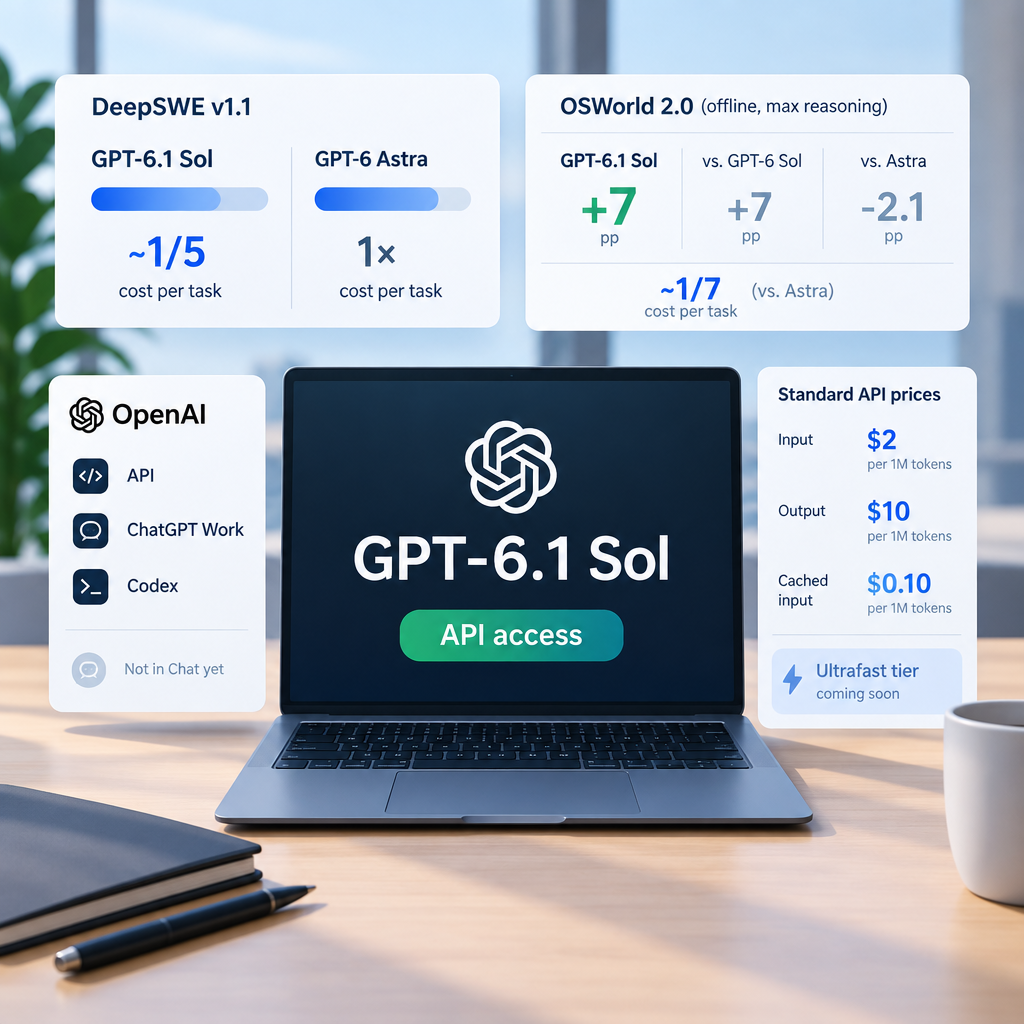
OpenAI introduced GPT-6.1 Sol as an upgrade to GPT-6 Sol. It is available in the API as gpt-6.1-sol and to Plus, Pro, Business, Enterprise, and Edu users in ChatGPT Work and Codex. It is not yet in Chat. Standard API prices are $2 per million input tokens and $10 per million output tokens; cached input costs $0.10 per million tokens. OpenAI plans to add an Ultrafast tier in the coming days.
Key facts
OpenAI reports that, in its DeepSWE v1.1 evaluation, GPT-6.1 Sol matches GPT-6 Astra at around one-fifth of the cost per task. That is a comparison under test conditions, not a promise of the same savings for every workload.
According to OpenAI, on the OSWorld 2.0 offline set at maximum reasoning effort, the model scores seven percentage points above GPT-6 Sol and comes within 2.1 points of Astra, at around one-seventh of Astra's cost per task.
OpenAI reports that answers containing at least one factual error fell from 11.4% for GPT-6 Sol to 7.7% for GPT-6.1 Sol at low reasoning effort. The company says this deliberately difficult set is not representative of typical use.
Why it matters
Cached-input pricing may matter to agents that repeatedly send the same large context. It does not determine the cost of a complete workflow: cache use, output volume, and the number of steps also matter. API access lets teams test the model on their own development and document-preparation tasks. A decision between models should compare the quality and full cost of a completed task under comparable conditions, rather than assume vendor benchmark results will carry over to production.
Business processes
Software development and issue-tracker work — Teams can test the model for investigating defects and preparing changes while retaining human code review.
Document and research preparation — Caching unchanged context across requests may lower input-token costs; its effect on total spending needs measurement.
Automation opportunities
An agent investigates an issue, works with a repository, and prepares a draft pull request: The model can be connected through the API to prepare code and explanations, with a responsible person approving and publishing changes. Conditions: API setup, restricted repository access, and action logs are needed.; Quality, full task cost, and reliability should be tested on the organization's own cases.
Impact on manual work
Code and draft preparation may require less manual work, but OpenAI's tests do not measure time savings in a specific organizational process.
Limitations and risks
DeepSWE, OSWorld, and factual-error results are OpenAI-reported evaluations under specified settings, not guarantees of production quality or cost.
The lower price applies only to cached input tokens.
Availability in ChatGPT Work and Codex does not mean the model is already in Chat.
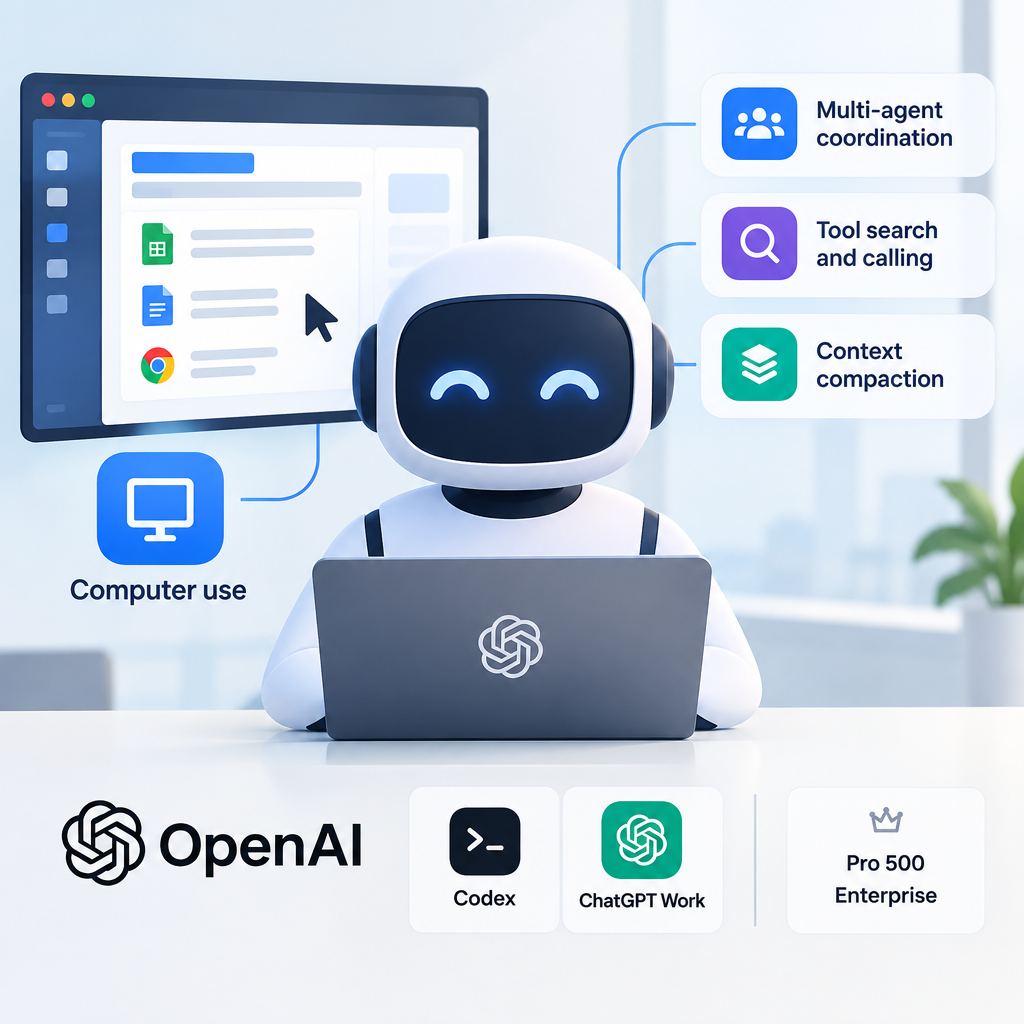
In its DevDay recap, OpenAI said the Agents API now supports computer use, allowing agents to operate software through its interfaces. It also added capabilities from Codex: multi-agent coordination, tool search and calling, and context compaction. OpenAI runs the underlying infrastructure. A separate Decisions API is designed to select an answer from a finite set of predefined options; it has a different availability status.
Key facts
OpenAI announced that the Agents API supports building agents that operate software, alongside agent coordination, tool search and calling, and context compaction.
OpenAI states that access is through the API and in Codex and ChatGPT Work on Pro 500 and Enterprise.
The Decisions API can use text or image context to choose from predefined answers. It is in limited preview, with a broader release planned by OpenAI in the coming days.
Why it matters
Computer use may extend an agent's reach to process steps that lack a useful API. Tool search and multi-agent coordination might reduce the infrastructure developers need to build themselves. But the ability to perform an action does not make it safe to perform without oversight. A business deployment needs defined systems and permissions, checks on results, and a clear list of actions that require approval.
Business processes
Working in internal systems without useful APIs — Teams can test repetitive interface steps if actions are tightly scoped and their results checked.
Multi-step request handling — Tool search and agent coordination may simplify transitions between stages and systems; the effect depends on the implementation.
Automation opportunities
An agent transfers information between business interfaces and prepares a result for review: The agent could handle repeatable steps while a person retains control over sending, significant data changes, and payments. Conditions: Access to the Agents API must be checked for the intended channel and plan; the Decisions API has a different status.; Target-interface testing, least-privilege permissions, action logs, and approval of risky operations are needed.
Impact on manual work
Computer use may reduce manual actions and switching between systems. OpenAI's recap does not demonstrate labor savings in a defined process.
Limitations and risks
The DevDay recap covers products with different availability; the Decisions API remains in limited preview.
Screen changes can break an interface-based workflow, and a mistaken action can alter the wrong data.
Consequential actions need restricted permissions and human checks.
OpenAI begins a limited rollout of persistent dots assistants
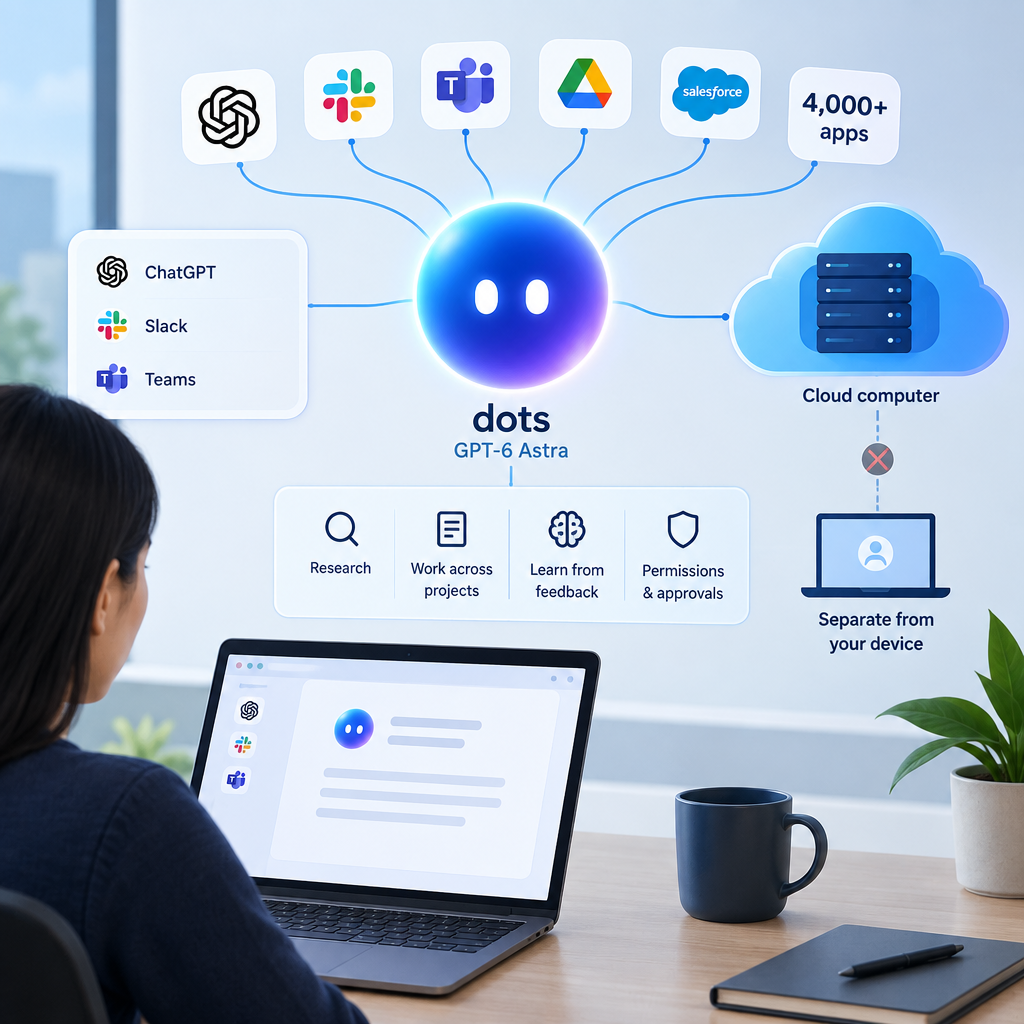
OpenAI introduced dots, persistent assistants powered by GPT-6 Astra. Each dot has its own cloud computer and browser. OpenAI says a dot can work across projects, learn from feedback, and use connections from an ecosystem of more than 4,000 apps. Users can contact dots in ChatGPT, Slack, or Teams, inspect their work, set boundaries and app permissions, and review actions that need approval. The rollout covers eligible markets for ChatGPT Pro and Business Premium users.
Key facts
A dot's cloud computer is separate from the user's machine unless the user explicitly connects it.
Proactive research while the user is not actively working uses connected apps through read-only tools.
Enterprise, Edu, and Healthcare users can try a beta after workspace-admin activation; it is off by default.
Why it matters
Dots are designed to work between user interactions: for example, preparing an updated analysis or draft when new material appears. That may suit projects spanning several days and requiring a return to earlier context. Persistent access to apps also makes boundaries especially important: which sources can be read, how work can be inspected, and which steps remain with the process owner. These workflow examples come from OpenAI, not an independent study.
Business processes
Monitoring materials and updating working research — The assistant may prepare an updated draft from permitted sources; changes and conclusions still need review.
Preparing invoices and code changes — Preparatory steps could be delegated while the responsible person approves sending an invoice or making a change.
Automation opportunities
A persistent assistant gathering material and drafting across several projects: Teams can evaluate dots with selected apps, defined boundaries, and mandatory approval for sensitive actions. Conditions: The rollout is limited to eligible markets and ChatGPT Pro or Business Premium; Enterprise, Edu, and Healthcare beta access requires administrator activation.; Work a dot starts or manages in Codex or ChatGPT Work counts toward those products' normal usage limits.
Impact on manual work
The assistant may reduce manual evidence gathering and draft preparation. OpenAI's examples show intended uses but do not prove time savings or result quality.
Limitations and risks
Sensitive actions remain subject to review or direct user action.
Separate specialist dots for enterprises are in focused pilots; their status should not be confused with the main rollout.
An initial dot in Pro or Business Premium includes an allowance for deeper work; related work in Codex and ChatGPT Work uses those products' normal limits.